

Healthcare SEO and JavaScript Rendering
Sep 28, 2026


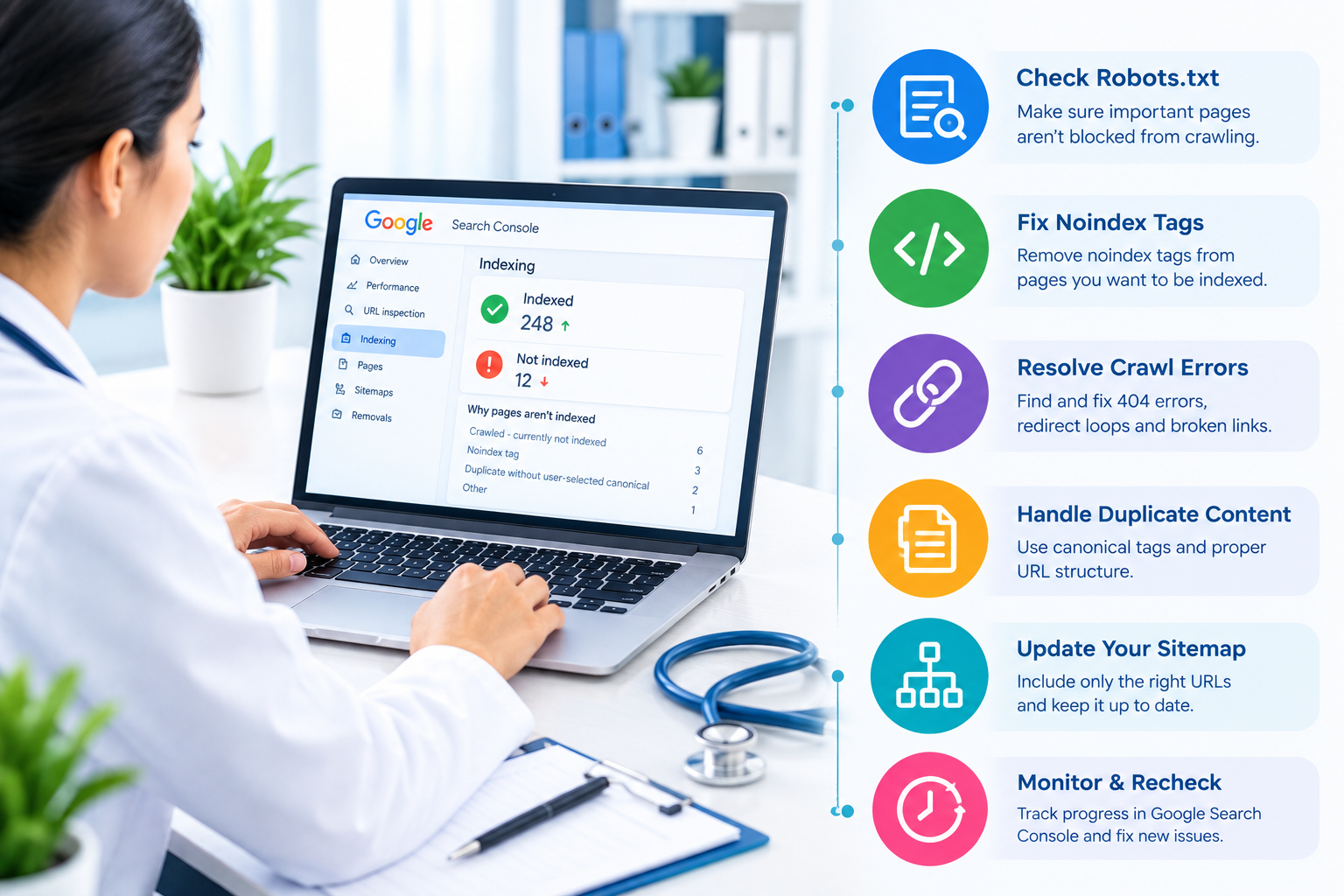
Your healthcare website can contain accurate medical information, useful service pages, and well-written content, but none of that matters if search engines cannot properly discover and index your pages. Indexing is the process that allows search engines to store and potentially display your web pages in search results.
When important healthcare pages are missing from search results, you may lose opportunities to reach patients, caregivers, and people researching medical services. Fixing indexing issues should therefore be a core part of your healthcare SEO strategy.
This guide explains how you can identify common indexing problems, troubleshoot them, and build a healthier website structure for traditional search, AI-powered search, and local discovery.
Indexing occurs after a search engine discovers and processes a webpage. The page may then be stored in the search engine’s index and become eligible to appear for relevant searches.
However, crawling and indexing are not the same.
A page that is not indexed generally cannot generate organic search visibility, regardless of how well optimized it is.
For a healthcare website, this can affect pages such as:
Healthcare searches are often highly specific. A person may search for a medical specialty, treatment, provider, symptom-related information, or healthcare service in a particular location.
If your relevant page is not indexed, search engines may not be able to use that page as a search result or source for relevant answers.
Indexing also supports your broader healthcare SEO efforts. A properly accessible website gives search engines a clearer understanding of your services, expertise, locations, and content relationships.
If you need broader technical support, working with a healthcare SEO company can help you identify indexing problems alongside other technical and content-related issues.
Start by creating a list of your most important URLs. Focus on pages that directly support patient discovery, including service, specialty, location, provider, and educational pages.
You can use Google Search Console to inspect individual URLs and determine whether Google has indexed them.
Check for:
Do not assume that every URL on your website needs to be indexed. Search engines should generally focus on useful, unique pages rather than duplicate, thin, temporary, or unnecessary URLs.
A noindex directive tells search engines that a page should not be included in their index.
This can be useful for pages that you intentionally want to exclude. However, accidental noindex instructions can remove valuable healthcare pages from search visibility.
Review important pages for unintended noindex directives.
Pay particular attention after:
If an important treatment or location page has a noindex directive by mistake, correcting the directive can restore its eligibility for indexing after search engines recrawl the page.
Your robots.txt file provides crawling instructions to search engines.
A poorly configured robots.txt file can prevent crawlers from accessing important sections of your website.
Review the file for rules that accidentally block:
Do not use robots.txt as a substitute for managing indexing. Blocking crawling and preventing indexing are different technical processes.
Before changing the file, understand which URLs are currently affected and why the restriction exists.
An XML sitemap helps search engines discover important URLs on your website. It is particularly useful for large healthcare websites with many services, locations, providers, and educational resources.
Your sitemap should generally contain:
Remove URLs that are:
Keep your sitemap clean rather than treating it as a complete list of every URL your website has ever generated.
Internal links help search engines discover and understand relationships between pages.
Suppose your healthcare website has a page about cardiology services but no other important page links to it. Even if the URL exists in your sitemap, weak internal linking can make discovery and contextual understanding more difficult.
Create logical connections between related content.
For example, you can link:
Use descriptive anchor text that explains what the destination page covers.
Healthcare websites can unintentionally create multiple URLs with similar or identical content.
Common causes include:
When multiple URLs represent substantially similar content, search engines may select one canonical version.
Review canonical tags to make sure they point to the correct primary URL. A canonical tag pointing to the wrong page can prevent the page you actually want from receiving indexing and search signals.
Your important pages should return the correct HTTP status.
A page returning a successful 200 response can generally be accessed normally. A 301 redirect sends users and crawlers to another URL. A 404 indicates that the requested page cannot be found.
Watch for:
If you replace an old healthcare service URL, redirect it to the most relevant current page instead of automatically sending every deleted URL to the homepage.
Important pages should not be buried several clicks deep within your website.
A strong internal linking structure helps users and search engines navigate your content efficiently.
For example, your main navigation could lead to specialties, specialties could connect to individual services, and service pages could connect to appropriate provider, location, and appointment information.
This structure also helps establish topical relationships.
Your most valuable pages should receive relevant internal links from authoritative pages within your own website.
Indexing problems are not always caused by technical errors.
A healthcare website may contain hundreds of pages that offer little unique value. Examples can include near-duplicate location pages, automatically generated pages, outdated articles, or extremely short service descriptions.
Review these pages before trying to force them into the index.
You can:
Quality and usefulness should guide your indexing strategy.
Healthcare businesses often depend heavily on local discovery. Patients may search for services using geographic terms such as a city, neighborhood, or “near me.”
Your location pages should therefore provide genuinely useful local information instead of simply repeating the same service copy with different city names.
Include relevant information such as:
Keep your business information consistent across your website and relevant local listings.
A properly indexed location page can support organic and local search visibility while giving patients clearer information before they contact your practice.
Modern search experiences increasingly provide direct answers and summaries. This makes clear content structure important beyond traditional blue-link rankings.
Organize important information using:
Answer common questions directly rather than hiding important information inside long paragraphs.
This approach can make your content easier for search systems to interpret while also improving the user experience.
Structured data can help search engines understand entities and page information.
Depending on the page, relevant structured data may describe:
Only use structured data that accurately represents visible and relevant information on the page. Incorrect or misleading markup can create confusion and may prevent eligibility for certain search features.
Do not wait months to discover that a website migration caused indexing problems.
After a redesign, migration, URL restructuring, or major CMS update, monitor:
Compare your important URLs before and after the change.
Early detection can prevent a technical problem from affecting a large portion of your website.
Use this checklist during a technical SEO review:
Some indexing problems are simple, while others involve technical issues across hundreds or thousands of URLs.
If your website has experienced a sudden decline in indexed pages, a migration problem, widespread duplicate URLs, complex technical errors, or persistent Search Console coverage issues, professional assistance can make the investigation more systematic.
A specialized Healthcare SEO Company can review technical SEO, content structure, local visibility, internal linking, and indexing together rather than treating each issue separately.
You can also Contact Us to discuss your website’s SEO requirements and determine which technical areas need attention.
Fixing healthcare website indexing issues starts with understanding which pages should appear in search and why they may not be appearing.
You should regularly review Search Console, XML sitemaps, robots.txt, canonical tags, redirects, internal links, and page quality. At the same time, strengthen local content and structure information clearly so search engines and AI-powered search systems can better understand your website.
A clean technical foundation does not guarantee rankings, but it gives your valuable healthcare content a better opportunity to be discovered, processed, and surfaced for relevant searches.
Use Google Search Console’s URL Inspection tool. Enter the page URL to see whether Google has indexed it and whether Google can access the page.
Robots.txt can prevent crawlers from accessing a URL. However, it is not the primary method for controlling whether a page remains in Google’s index.
Common reasons include noindex directives, crawling restrictions, duplicate content, canonical problems, poor internal linking, technical errors, or insufficient page value.
Review important pages regularly and perform a broader audit after redesigns, migrations, URL changes, or major technical updates.
Yes. If an important location or service page is not indexed, it may have limited ability to appear in organic search results for relevant local queries.