

Healthcare SEO and JavaScript Rendering
Sep 28, 2026


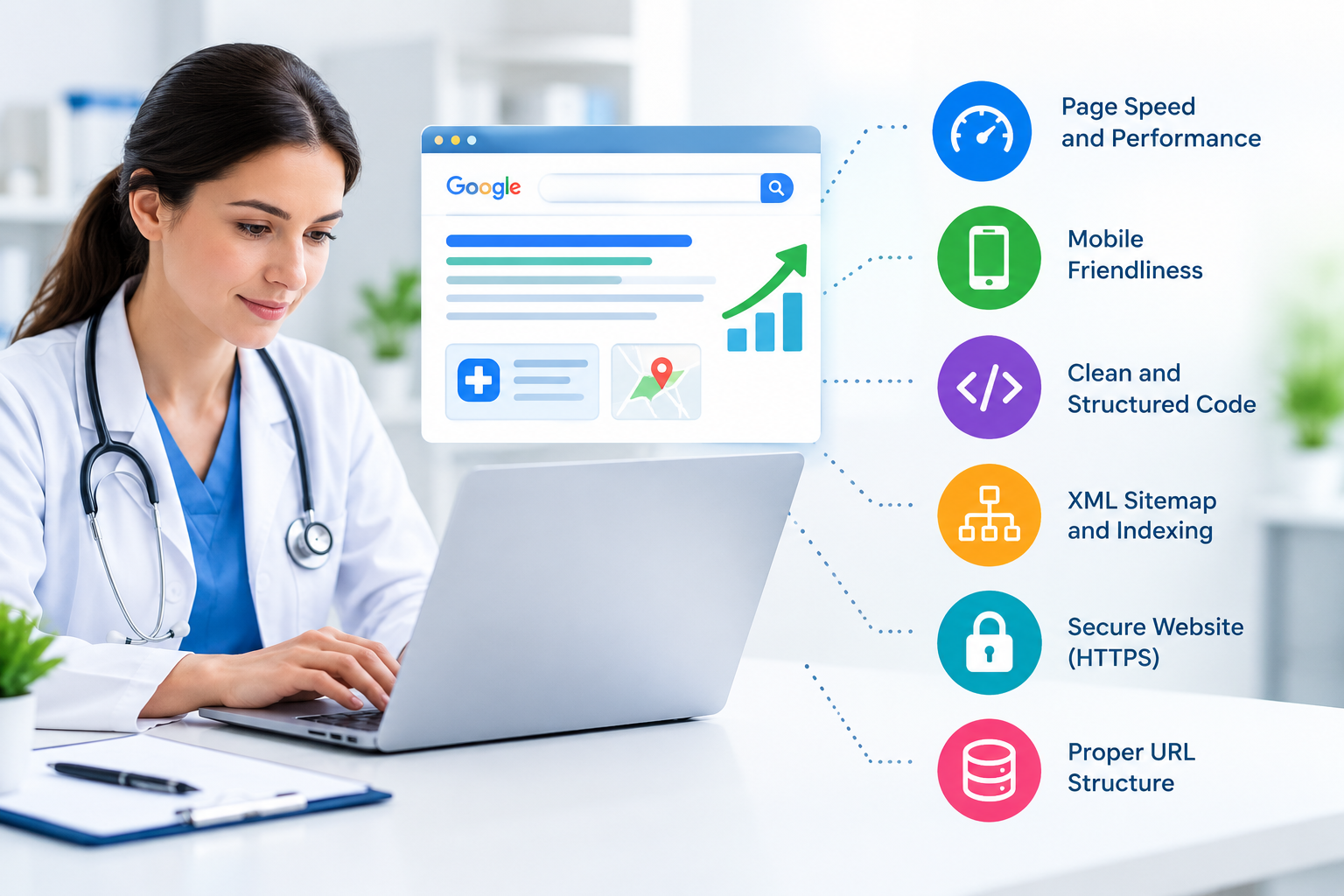
When you search for healthcare information online, you expect pages to load quickly, work properly on your phone, and provide trustworthy answers. Search engines look for many of the same signals when evaluating healthcare websites. Technical SEO helps you create a website that is easier for search engines to crawl, understand, and index while giving visitors a smoother experience.
For healthcare organizations, technical SEO deserves particular attention because your website may contain medical information, treatment details, provider credentials, service pages, and location-specific content. A technical issue on any of these pages can affect how effectively search engines access and interpret your content.
If you manage a healthcare website, use the following technical ranking factors as a practical checklist.
Search engines use crawlers to discover and process website pages. If important healthcare pages cannot be crawled, they may not appear properly in search results.
Start by reviewing your robots.txt file. Make sure you are not accidentally blocking important service, provider, location, blog, or contact pages.
You should also maintain an accurate XML sitemap. Your sitemap should include the canonical URLs you want search engines to index and should exclude unnecessary pages such as duplicate URLs, outdated redirects, or pages with no search value.
A practical technical SEO checklist includes:
For larger healthcare websites, schedule technical crawls periodically rather than waiting for traffic problems to appear.
Page speed affects how easily visitors can use your website. A slow healthcare website can be particularly frustrating when someone is looking for information about a medical service, provider, appointment, or treatment.
Pay attention to Google’s Core Web Vitals, including:
You can address common performance problems by compressing large images, reducing unnecessary JavaScript, minimizing third-party scripts, enabling browser caching, and using an efficient hosting environment.
Do not focus only on achieving a high laboratory score. Test important healthcare pages under realistic conditions and consider how quickly users can access the information they need.
Many healthcare searches happen on smartphones. Your website should therefore provide the same essential information and functionality across desktop and mobile devices.
Check whether your navigation is easy to use on smaller screens. Buttons should be large enough to tap, text should remain readable, and forms should not require excessive scrolling or zooming.
Pay particular attention to appointment forms and phone-call buttons. If a visitor cannot easily contact your practice from a mobile device, a technical or usability problem may become a missed conversion opportunity.
A responsive design should also prevent horizontal scrolling and ensure images, tables, videos, and other content fit the available screen width.
HTTPS protects information transferred between your website and its visitors. This is especially relevant to healthcare websites because visitors may interact with contact forms, appointment requests, or other sensitive processes.
Install a valid SSL/TLS certificate and make sure every important page loads through HTTPS.
After migration to HTTPS, check that:
A secure connection is only one part of website trust, but it is an essential technical foundation.
Your website structure helps both visitors and search engines understand how your content is organized.
Create clear relationships between your homepage, healthcare services, conditions, provider pages, locations, and educational resources.
For example, a healthcare organization might structure its website around:
Homepage → Services → Specific Treatment → Supporting Resources
You can strengthen these relationships with descriptive internal links. Instead of generic phrases such as “click here,” use meaningful anchor text such as healthcare SEO services or contact our team when appropriate.
Keep important pages within a reasonable number of clicks from the homepage. A logical hierarchy also makes it easier to expand your website without creating unnecessary duplication.
Broken internal links can make your website harder to navigate and may prevent users from reaching important information.
Run regular technical audits to identify:
When you permanently move a page, use an appropriate 301 redirect to the most relevant replacement page. Avoid redirecting multiple unrelated URLs to the homepage simply to remove errors.
You should also review redirects after redesigns, URL changes, migrations, and major content updates.
Healthcare websites can sometimes create multiple URLs that display identical or substantially similar content. This may happen because of tracking parameters, filters, pagination, or technical configurations.
Canonical tags help indicate which URL should be treated as the preferred version.
Check that your canonical tags:
Canonicalization should support your website architecture rather than hide underlying duplication problems.
Structured data gives search engines additional context about your webpages. Depending on your website and content, you may use relevant schema types for organizations, healthcare providers, articles, breadcrumbs, FAQs, and other supported entities.
Do not add schema simply because you can. The structured data should accurately represent visible or applicable information on the page and follow current search-engine guidelines.
For healthcare organizations, accurate provider and organization information is particularly important. Keep names, addresses, telephone numbers, service details, and other business information consistent wherever they appear.
If you serve patients in specific cities or regions, local SEO should be part of your technical strategy.
Keep your business name, address, and phone information consistent across your website and relevant business listings. Create useful location pages only when you genuinely serve those locations and can provide meaningful information for visitors.
Your location pages should not be simple copies with different city names. Include information that helps people understand the services available in that area, provider availability, service coverage, and relevant local details.
For organizations targeting multiple markets, a clear URL structure can also make location relationships easier for search engines to interpret.
Internal links help users move from general information to more specific resources. They also help search engines discover related pages.
When publishing a healthcare article, look for natural opportunities to link to relevant service pages, provider information, treatment resources, and contact information.
For example, an article about technical healthcare marketing can naturally reference a Healthcare SEO Company when discussing specialized search strategies.
Use concise anchor text that tells users what they will find after clicking. Avoid inserting keywords where they sound unnatural.
Technical SEO is not a one-time project. Search engines continually recrawl websites, while your team may publish new pages, remove outdated content, change URLs, or modify templates.
Use tools such as Google Search Console to monitor:
When a page suddenly loses visibility, check technical factors before assuming the content itself is the problem.
Compare the affected URL with working pages and inspect indexing, canonicalization, redirects, internal links, and recent website changes.
Technical SEO should support your content rather than compete with it. Make sure important text is available in crawlable HTML and is not hidden exclusively behind scripts, tabs, or interactive elements that search engines may have difficulty processing.
Use descriptive page titles, clear headings, meaningful image alt text, and readable URLs. Compress images without making important medical diagrams or visual information difficult to understand.
Your technical foundation should make it easy for both users and search engines to access the information that matters.
You can prevent many technical SEO problems by establishing a regular maintenance routine.
Monthly: Check indexing issues, broken links, major performance problems, and important search-console alerts.
Quarterly: Run a complete technical crawl, review redirects, inspect sitemap health, and evaluate internal linking.
After website changes: Recheck redirects, canonical tags, structured data, mobile usability, page speed, and indexability.
If your website has hundreds or thousands of pages, prioritize technical issues according to their potential effect on important services, locations, and revenue-generating pages.
Technical SEO gives your healthcare website a reliable foundation for search visibility and user experience. By maintaining crawlability, mobile usability, HTTPS, page speed, structured data, internal links, canonicalization, and local signals, you make it easier for search engines to understand your website.
You should treat technical SEO as an ongoing process rather than a one-time task. Regular monitoring helps you identify problems before they affect important healthcare pages and allows your website to remain accessible as your services and content grow.
If you need specialized support, consider working with a Healthcare SEO Company that understands technical SEO alongside healthcare content, local search, and search-quality requirements. When you are ready to discuss your website’s needs, use your Contact Us page to connect with your team.
Focus on crawlability, indexability, mobile usability, page speed, Core Web Vitals, HTTPS, structured data, canonicalization, internal linking, and clean website architecture. Regular technical audits can help you identify problems before they affect important service and location pages.
Technical SEO helps search engines access, interpret, and index your healthcare content. It also supports a better user experience by improving page speed, mobile usability, navigation, security, and accessibility.
A slow website can make it harder for visitors to access important information and interact with forms or navigation. Monitor Core Web Vitals and reduce unnecessary scripts, large images, and other performance issues that slow down key pages.
Yes. If you serve specific geographic areas, accurate business information, useful location pages, consistent local signals, and relevant internal linking can help search engines understand where your healthcare services are available.
You should monitor critical technical issues regularly and conduct a broader technical audit at least quarterly. Perform an additional review after redesigns, migrations, major URL changes, or significant website updates.