

Healthcare SEO and JavaScript Rendering
Sep 28, 2026


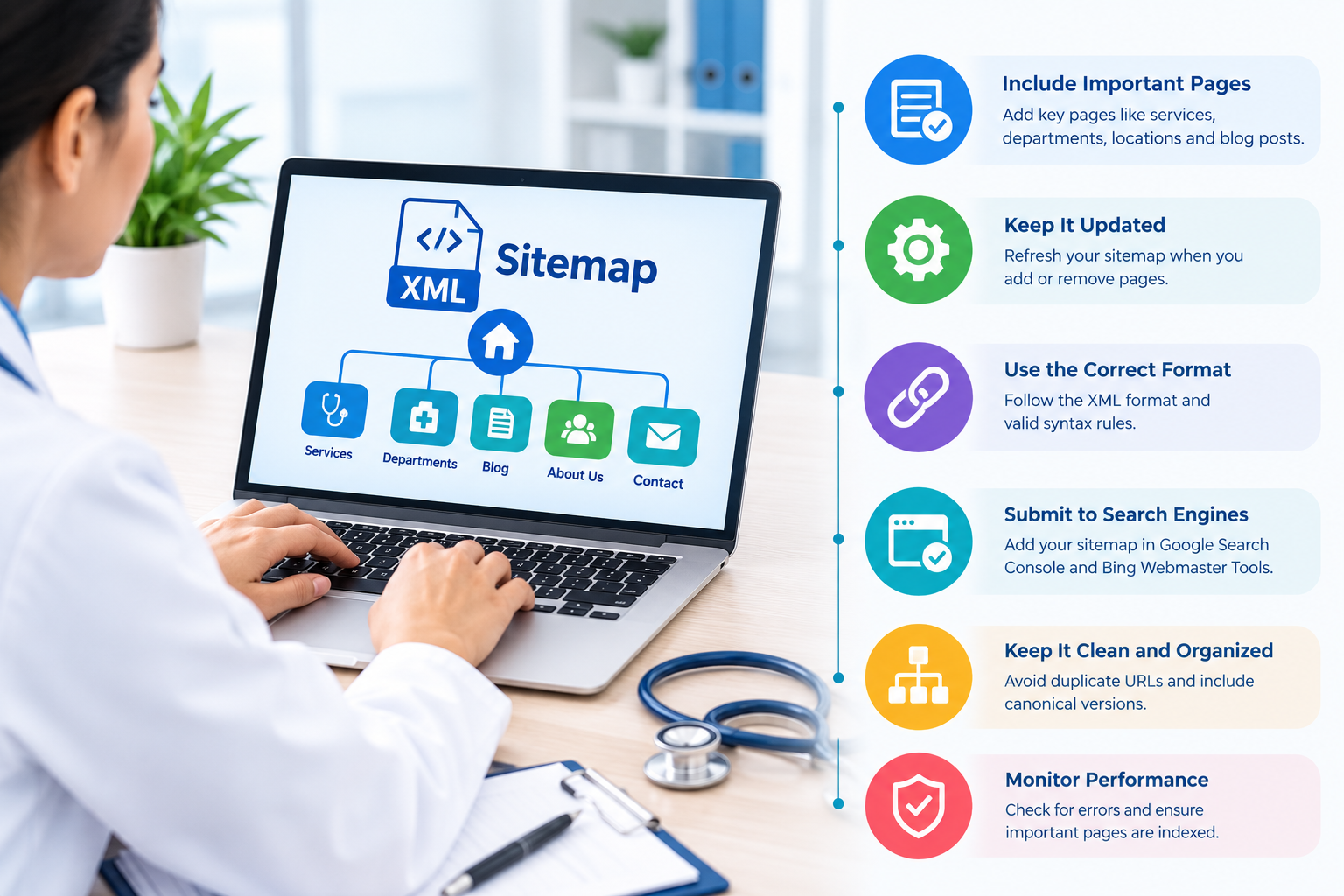
Your healthcare website may contain hundreds of pages covering medical services, doctors, locations, conditions, treatments, insurance information, and educational resources. Search engines need a clear way to discover and understand these pages. An XML sitemap helps provide that structure.
For healthcare websites, sitemap management is particularly important because your content should be easy for search engines to crawl while remaining organized, accurate, and useful for patients. A well-maintained sitemap can support your broader healthcare SEO strategy by helping search engines find important URLs and understand which pages belong to your website.
Whether you operate a hospital, medical practice, dental clinic, urgent care center, specialist practice, or healthcare network, following XML sitemap best practices can make your technical SEO foundation stronger.
An XML sitemap is a file that lists important URLs on your website in a format search engines can process. It provides information about the pages you want search engines to discover and crawl.
For example, your sitemap may include URLs for:
An XML sitemap does not guarantee that a page will be indexed or rank in search results. Instead, it helps search engines discover URLs and understand the overall structure of your website.
For large healthcare websites, this discovery function becomes even more important because thousands of URLs may exist across multiple specialties and locations.
Healthcare websites often have complex structures. You may have separate pages for cardiology, dermatology, orthopedics, pediatrics, mental health, urgent care, and other services.
If important pages are difficult for search engines to discover, your organic visibility can suffer.
A properly configured sitemap can help you:
Your sitemap should therefore complement your internal linking structure rather than replace it. Important healthcare pages should still be accessible through logical navigation and relevant internal links.
One of the most important sitemap rules is simple: include URLs that you want search engines to index.
Avoid filling your XML sitemap with pages that should not appear in search results.
You should generally review whether the following belong in your sitemap:
Avoid routinely including:
Your sitemap should represent the strongest and most important version of your website.
Healthcare websites sometimes have multiple URLs that display similar information. This can happen because of tracking parameters, filters, duplicate location pages, or different versions of the same content.
Your sitemap should normally contain the preferred canonical URL.
For example, if your primary service page is:
example.com/cardiology/
you should avoid placing several duplicate versions of that page in the sitemap.
Consistent canonicalization helps search engines understand which URL represents the primary version of the content.
Local SEO is especially important for healthcare organizations with multiple offices.
Suppose your healthcare organization serves patients in New York, Brooklyn, Queens, and nearby communities. Each legitimate location may have a dedicated page containing useful information such as:
If these pages are valuable and indexable, they can be included in your sitemap.
However, avoid creating large numbers of nearly identical location pages simply to target different cities. Each location page should provide meaningful information about that specific practice or facility.
This approach supports both local search visibility and a better patient experience.
If your website contains a large number of URLs, consider dividing your sitemap into multiple sitemap files.
For example, you might organize your sitemap structure around:
A sitemap index can then reference the individual sitemap files.
This approach makes large websites easier to manage and audit. It also allows you to identify problems within specific sections of your website instead of reviewing one enormous file.
Search engines place limits on individual sitemap files. A sitemap file can contain up to 50,000 URLs or 50 MB of uncompressed data, whichever limit is reached first.
If your healthcare website exceeds these limits, use multiple sitemap files with a sitemap index.
Even if your website is below the technical limit, logical segmentation can make ongoing SEO management easier.
Your XML sitemap should reflect your current website.
When you launch a new medical service, create a new location, publish important healthcare content, or remove outdated pages, review your sitemap.
Regular maintenance helps prevent problems such as:
You should make sitemap monitoring part of your regular technical SEO process rather than treating it as a one-time setup.
After creating your sitemap, submit it through the appropriate search engine webmaster platform.
For Google, you can submit your sitemap through Google Search Console. This gives you a way to monitor whether Google has processed the sitemap and identify potential issues.
You should also make your sitemap discoverable through your website’s robots.txt file by specifying its sitemap location.
For example:
Sitemap: https://www.example.com/sitemap.xml
Use your actual sitemap URL rather than copying this example directly.
XML sitemaps can include a lastmod value indicating when a page was last meaningfully updated.
Use this information accurately.
Do not change every page’s modification date simply because you regenerated the sitemap. Instead, update the date when the underlying page has undergone a meaningful change.
For healthcare content, this can be especially useful when you regularly review information for accuracy, update treatment details, revise provider information, or refresh local office information.
Accurate dates provide better signals about content maintenance without creating unnecessary technical noise.
Your sitemap is only one part of technical SEO.
You should also create a logical internal linking structure. For example, a cardiology service page could link to relevant cardiologist profiles, heart-related educational resources, and appropriate location pages.
Likewise, a location page can connect patients to the services and providers available at that facility.
This creates pathways for both users and search engine crawlers.
A strong combination of internal links and a clean sitemap gives your website multiple ways to communicate its content structure.
More URLs do not automatically mean better SEO.
A healthcare website may contain search-result pages, tag archives, parameter URLs, duplicate provider listings, internal filters, and other technical URLs.
Including everything can make your sitemap less useful.
Instead, ask yourself:
“Would I want this specific URL to appear in organic search?”
If the answer is no, investigate whether that URL belongs in your sitemap.
Your goal should be quality and accuracy rather than simply increasing the number of URLs listed.
Technical SEO audits should include sitemap checks.
Look for:
You can compare sitemap URLs with indexing information in Google Search Console to identify discrepancies.
For example, if your sitemap contains 500 important service pages but many are not indexed, investigate why. Possible causes can include content quality, canonicalization, internal linking, crawl accessibility, or indexing decisions.
Healthcare SEO involves more than submitting an XML sitemap. You also need to consider technical performance, local search, content quality, structured data, internal linking, provider pages, service pages, and patient-focused search intent.
Working with a specialized healthcare SEO company can help you develop a broader technical SEO strategy around these areas.
A professional audit can help you identify sitemap errors, crawlability problems, duplicate URLs, indexing inconsistencies, and structural issues that may otherwise go unnoticed.
Your XML sitemap should work alongside several other SEO elements.
For a healthcare website, your broader strategy can include:
This broader approach helps you build a website that is easier for search engines to crawl and easier for patients to navigate.
Before considering your sitemap complete, review this checklist:
A clean XML sitemap gives search engines a clearer path to your healthcare website’s important pages. While it is not a direct guarantee of higher rankings, it supports efficient discovery and provides a useful technical foundation for your SEO strategy.
You should treat your sitemap as a living part of your website rather than a file you create once and forget. Keep it accurate, remove unnecessary URLs, maintain legitimate location and service pages, and monitor indexing regularly.
When you combine these practices with strong internal linking, local SEO, useful healthcare content, structured data, and technical optimization, you create a more organized website for both search engines and patients.
If you need help reviewing your healthcare website’s technical SEO, sitemap structure, and organic search strategy, you can Contact Us to discuss your requirements.
An XML sitemap is a file that lists important website URLs for search engines. Healthcare websites can use it to help search engines discover service, provider, location, treatment, and educational pages.
No. You should generally include important, indexable, canonical URLs and exclude redirects, broken URLs, duplicates, noindex pages, and unnecessary technical URLs.
You should update your sitemap whenever important URLs are added, removed, changed, or reorganized. Automated sitemap systems can simplify this process for frequently updated healthcare websites.
A sitemap does not directly guarantee better rankings. It can help search engines discover important URLs, while rankings depend on many factors including content quality, relevance, technical SEO, authority, and user experience.
Yes, legitimate location pages can be included when they are useful, unique, indexable, and intended for organic search. Avoid creating thin or substantially duplicated location pages solely for SEO.